Redeeming Points
Points can be redeemed for a discount that is associated with a Stripe Coupon.
Configuring redemptions for coupons
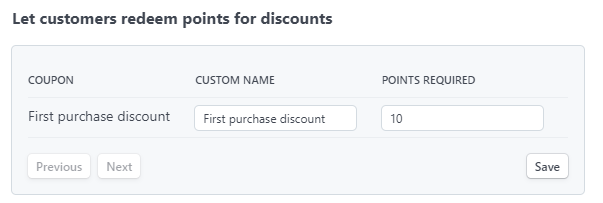
If you use Stripe Coupons, you can can set a number of points required to use that coupon.
Applying coupons to customers
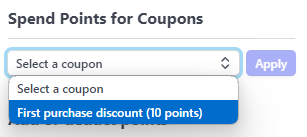
In the Stripe Dashboard, you can apply coupons from the customer view.
- Open a customer in the Stripe Dashboard
- Click the "Loyalty and Rewards" icon on the right hand side of the screen to open the Loyalty and Rewards panel
- Choose a coupon from the list
- Click "Apply"
- Points will be deducted from the customer's balance and the coupon will be applied to the customer's account.
- This will overwrite any other coupon that is currently applied to the customer's account.
API
Coupon redemptions can also be applied via the API.
Custom redemption logic
If you want to allow users to redeem custom rewards, you can use the API to create a custom BalanceEvent to reduce the customer's points balance.